Be a Better Blogger: Manage Those Goodreads Notifications

I love Goodreads. It’s a fantastic way to keep track of the books I’ve read, post and read reviews and meet other readers.
But what do you do if your Goodreads notifications are driving you nuts? It’s easy to fix! Say you really don’t want to get another one of these event notifications in your email:
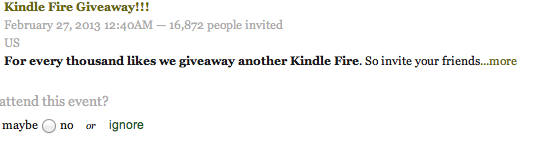
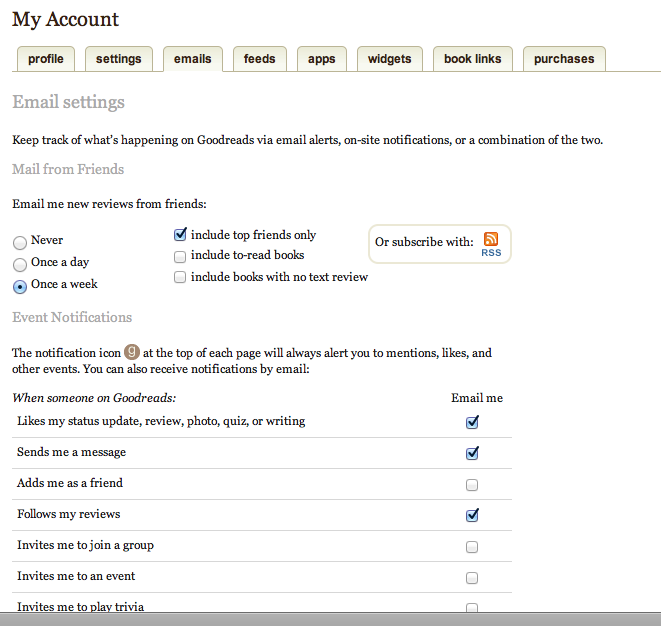
You can set your account so that you receive NO invitations in your email at all. Here’s how:
First, go to your profile tab. It’s on the far right of the screen when you’re logged in to Goodreads:
Now select “edit profile.”
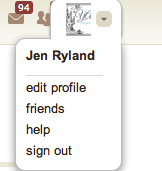
Then you’ll get a set of tabs that look like this. Select “emails.”

Then you can go in and customize the emails you want to receive.
Here’s another great tip: you can filter your timeline, so you see only updates from the people you choose. I swear this will CHANGE YOUR LIFE.
For optimal results, you may want to make sure that you have the people you want to hear from selected as “top friends.” You can read all the way through the post and decide.
Goodreads is sneaky and “top friends” is the default setting. So if you haven’t already, you need to pick your Goodreads BFFs.
First, go to your friends page. You’ll find that on the Goodreads home page in the middle of the right sidebar. I would click on “725 friends,” as seen below.
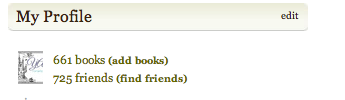
Then you’ll see this. Just click on edit friends in bold green:

And you’ll get page after page of friends. If you have no idea who someone is, or they are that person with 4000 friends and one book, uncheck their “top friend” box. According to Goodreads, they will never know that you demoted them, so be brutal.
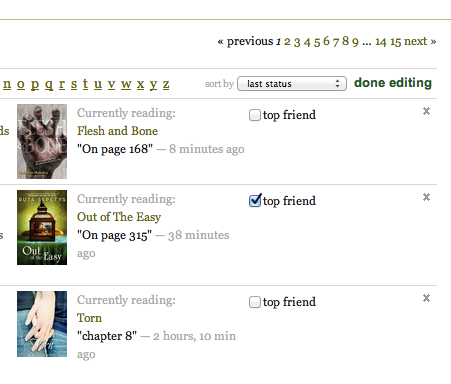
Yes, this is time consuming, depending on how many friends you have. But I swear it is life-changing.
You can watch some TV while you do it. If you can’t bear to do it, you can also filter the timeline so it shows only people whose reviews you are following. I’ll explain that below.
Helpful tip: the next time you accept a Goodreads friend request, be sure to decide if that person is a “top friend” or not. If not, uncheck that box when you accept the friend request.
Whew, you’re done? Awesome. Time to filter your timeline. Go back to your home page. So you see on the right where it says “showing: top friends” with a little downward arrow? Click that and …
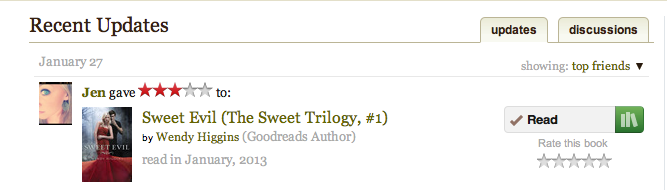
You’ll see something that looks like this:
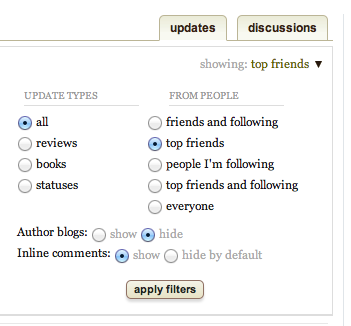
You can choose what shows up in your timeline. I need to change that setting to “top friends and following” probably, but you can experiment. Now my timeline shows updates and reviews from people I know and trust. I don’t have to filter through a bunch of updates from … “who IS that, anyway?”
Try it out and let me know what you think!

OMG turning off the Goodreads emails was the best thing I EVER did. Top friends is also really nice.
Right? Fixing the email settings is SO quick and easy and makes such a huge difference.
And I should add, faster and easier than unfriending someone. You can stay friends!
Thanks for the tip about this-I am so sick of getting stupid event emails because I just don't care. I really need to get that set up.
I have just started to unclick top friends occasionally when I get friend requests. I don't have a lot of goodreads friends so it hasn't been a huge deal, but I think I may go through my list and do it a little more. Good to know people can't tell you did. lol
Thanks for the goodreads notifications tips!:)
Great information! I don't receive very many emails from Goodreads anymore and it's AWESOME. I also love being able to only see my top friend's reads and whatnot … I go through that tab a LOT to make sure I'm only "friends" with the people I know through blogging. If there are people on there I really don't communicate with, I'll remove them. It's nice to clean up once in a while!
I just wish I would get NO invitations, through email OR through Goodreads. I don't know — for me, it's still annoying to see that little 'G' lit up with nothing important.
Thanks for sharing!
Thank you!! These is great info! I'm going to be doing the "top friend" thing for sure!
I had done the notification one not too long ago and was so happy. It has helped my email not seem so overwhelming!
Shanan
http://thebookaddictnet.blogspot.com/
Exactly. Most of the emails I batched into weekly updates. It is SO much better.
I just went through and did some of this a few days ago! I edited all my friends and unchecked the 'top friends' boxes too:) Great tips!
Isn't it great??
What I need to fix with Goodreads are the books on my shelf. I tried to 'tidy' it up, but I could not figure out how to clear my shelf.
Yeah, I did a big batch import out of another book site and it imported some books as "read" when they are really "want to read." A new project!
I just filter ALL the goodreads emails out of my inbox…. which means that I don't use goodreads as effectively as I should. Hmmm… I hope I'm a top friend. HAHAHAHA
Hmmm… did you make the cut?
Filtering the timeline is fantastic because you can actually see what your friends are reading.
I'm not that selective! I went through and if I recognized who the person was — a fellow YA blogger or someone who comments on the blog or just someone who likes the same kind of books, they stayed a "top friend." It made a huge difference and I enjoy reading my timeline now.
This is such a great post! I tweeted and retweeted it a few times.